
This guide is for Good Things’ network organisations who have grants with us.
It will be useful if you have a grant with Good Things where you need to report on what support you provided learners, eg a Building Digital Skills Grant through the Be Connected program.
This will help you to use our my.GoodThings website.
Skills in my.GoodThings
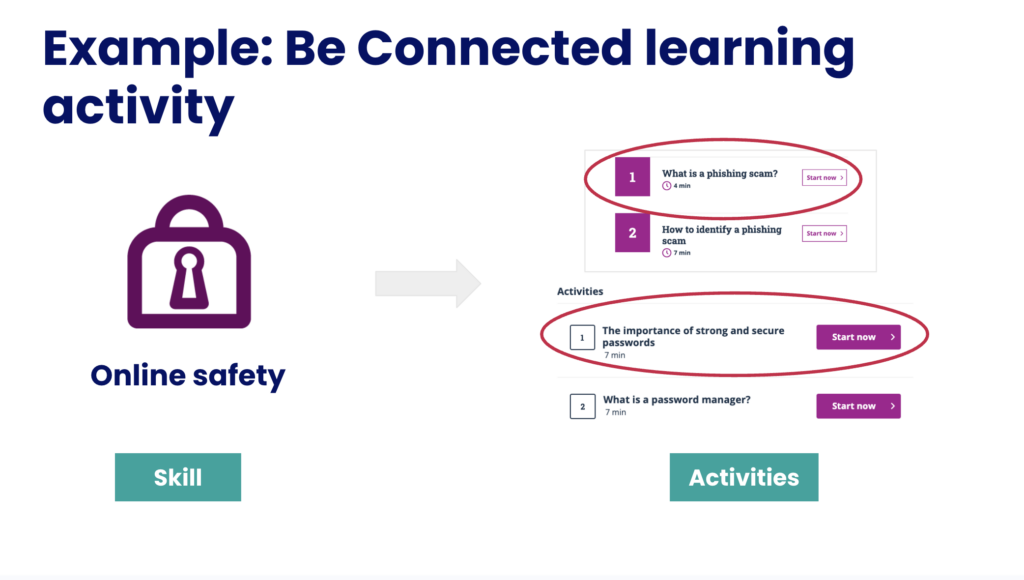
Skills in my.GoodThings are the big picture area of learning that you are supporting people around.
For example: ‘Online safety’ is a skill area.
Within that skill area there may be lots of different things people need to learn.
Activities in my.GoodThings
Activities are the learning activity you do with people to help them learn or practice specific skills. These can include a short online module or video from the Be Connected website, a quiz or game developed by Good Things, or a custom activity you design based on your learning goals.
For example: the Be Connected online course ‘What is a phishing scam‘ would be one activity. This would be recorded under the skill ‘Online safety’ in my.GoodThings.
A skill can usually be developed after completing a mix of activities. As a general guide, the benchmark is around 30 minutes for learning, which would include a combination of activities. You can draw on materials provided by Good Things and/or Be Connected for support on creating the session.
Top tip: Good Things’ Digital Skills Checkers count a skill. If you do both the Getting Started and Your Progress checkers with your learners, that’s 2 skill done! Remember to add the skill to your learner.
What you need to report on for your grant
The grant you have may specify how many activities each learner needs to complete.
The grant you have may state what types of activities are required to be completed.
Check your grant guidelines in your my.GoodThings account if you are not sure what you need to do.
Top tip: Review your learners Digital Skills Checker results in your my.GoodThings account to pick activities most relevant to their needs. They will point to specific learning activities based on their skill level or confidence.
How to report on your grant
Record the support you provided people under your grants through the my.GoodThings website.
Log in to the my.GoodThings website to register learners and the activities you completed with them. Use our step-by-step videos and guides to help with the process: